Home
--:--:--
Loading current period schedule...
Batch Timetable
Select a program, semester, and section to view the batch timetable.
Program
Semester
Select a program first.
Section
Select a semester first.
Choose program, semester, and section to display the timetable.
Faculty Timetable
Search for a faculty member to view the teaching timetable.
Search for a faculty member to display the timetable.
Class teachers List
Semester
No class teachers loaded.
Subject Schedule
Search for a subject by title to see faculties and batches teaching it.
Search for a subject to display its faculty and batch schedule links.
Room Schedule
Select a room to view its weekly schedule. Use Free Rooms for rooms marked Used=0.
Choose a room to display its schedule.
Cells start uncoloured. Click one or more slots; rooms free in every selected slot are listed below.
Free rooms
No slots selected yet.
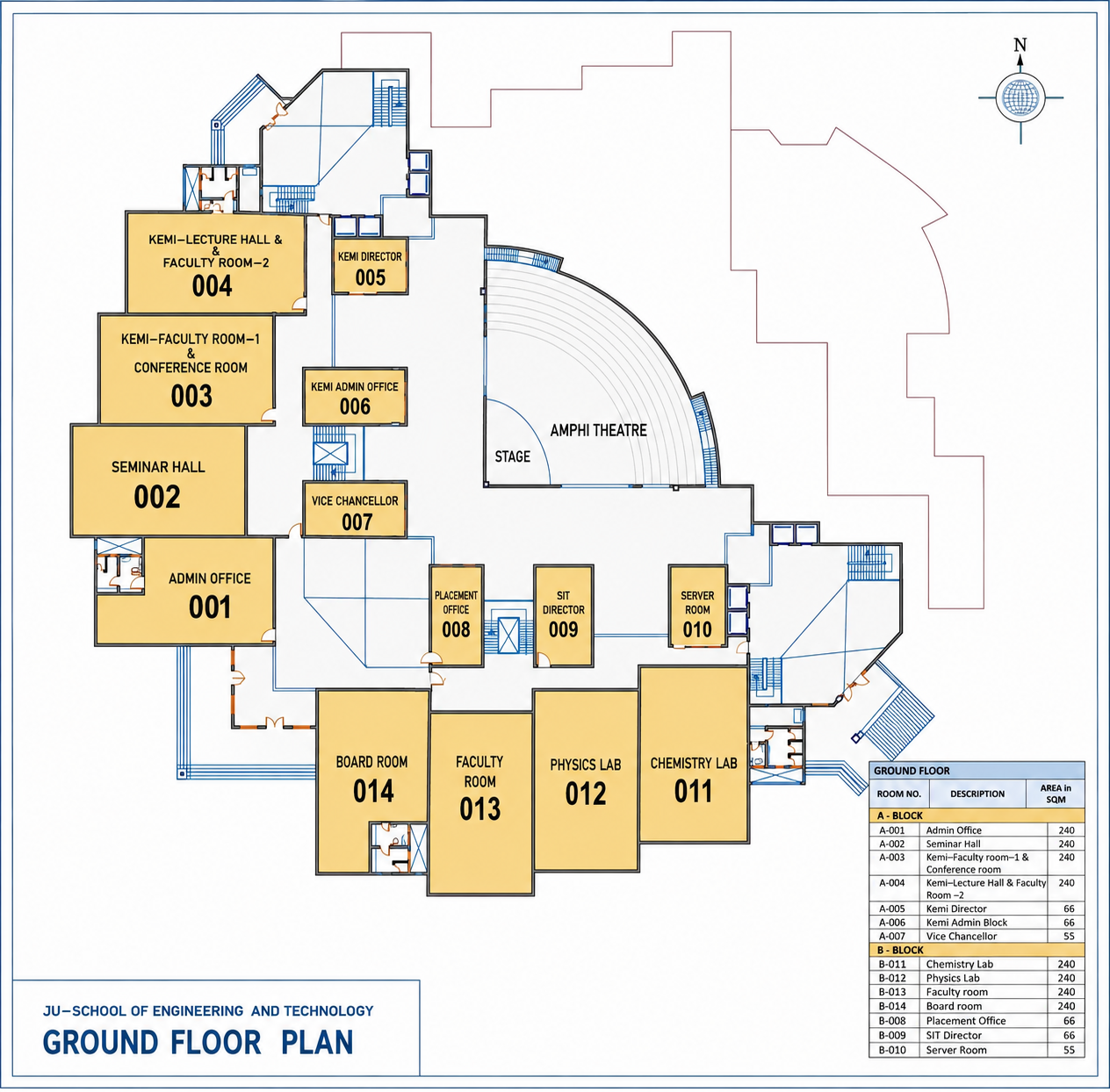
Building Floor Plan
Browse building floor plans to locate rooms.
Ground Floor
PDF Reports
Generated PDF reports from the allocation pipeline.
Meeting Slot Finder
Find common free slots for a meeting. All cells start green; add faculty below to mark their teaching slots red.
Free CSE faculty
Click one or more grid cells. The list shows CSE faculty (department code not X) who are free in every selected slot, limited to the programs checked above.
No slots selected yet.
Adjustments
Pick two timetable slots to evaluate swapping their scheduled sessions and any domino changes required.
Slot A
Program
Semester
Select a program first.
Section
Select a semester first.
Day
Select a section first.
Period
Select a day first.
No slot selected.
Slot B
Program
Semester
Select a program first.
Section
Select a semester first.
Day
Select a section first.
Period
Select a day first.
No slot selected.
Select both slots and evaluate to see required changes.
24x7 Feedback
Share timetable feedback, issues, or suggestions. The form opens in a new tab.